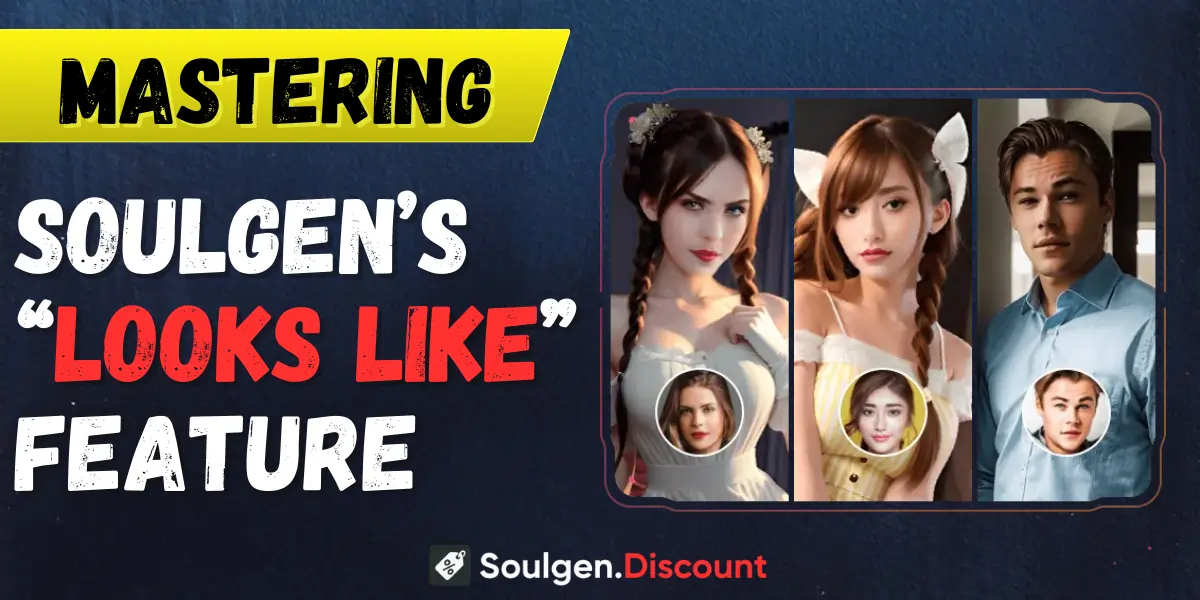
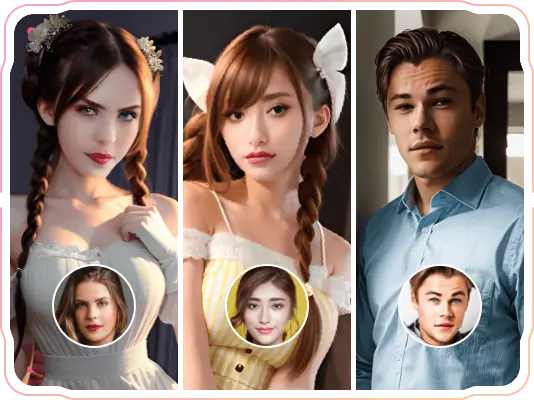
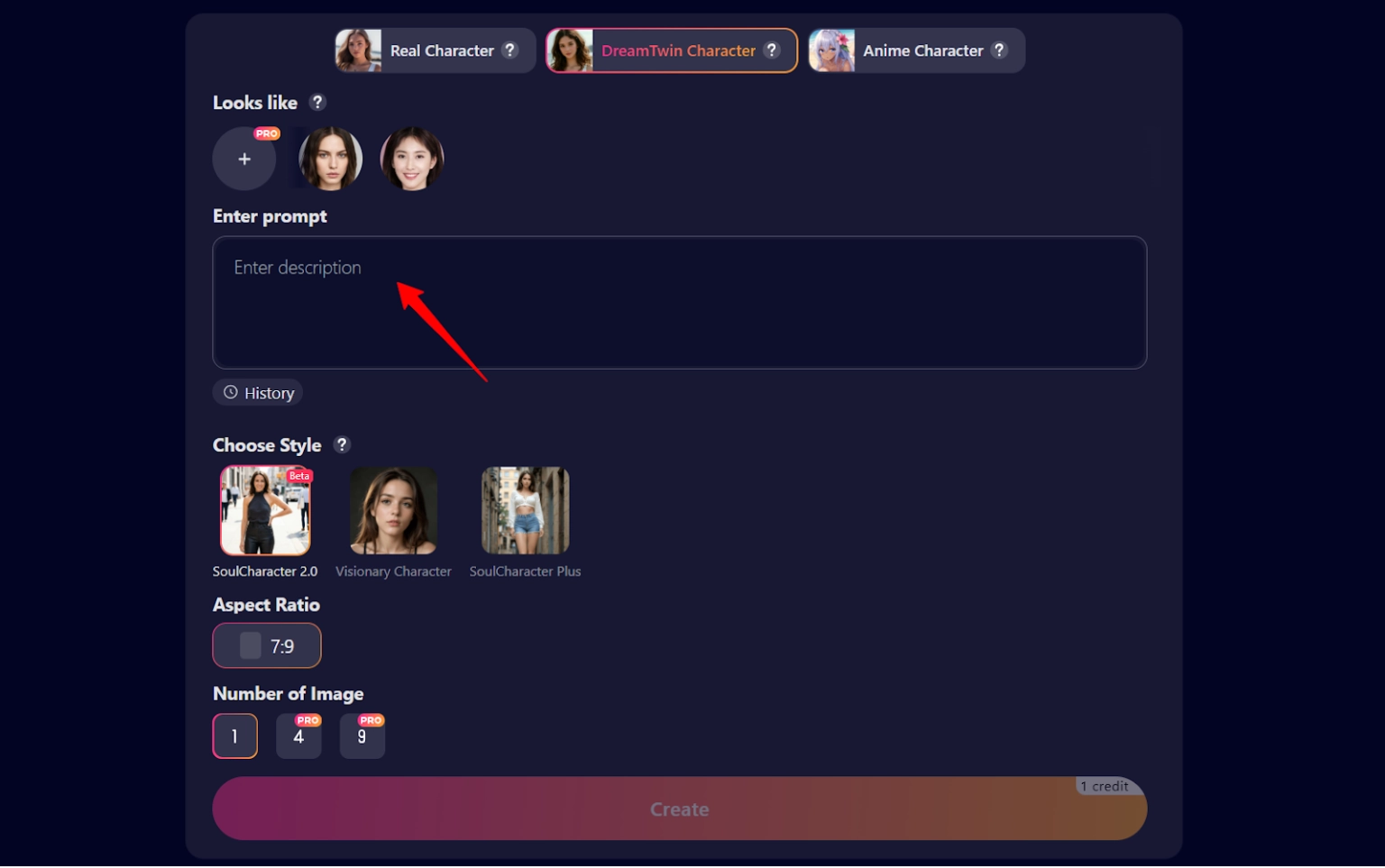
SoulGen's got a naughty little secret weapon that most users aren't exploiting properly—and it's hiding in plain sight. The SoulGen Looks Like feature lets you upload reference photos to create AI-generated characters that actually resemble real people.
But here's the thing: most folks are uploading random snaps and expecting magic, then wondering why their AI babe looks nothing like the reference pic they uploaded.
After testing this feature extensively with hundreds of photos, I've cracked the code on what works and what falls flat.
❓ Why Your Reference Photos Keep Failing?
You upload a gorgeous photo, hit generate, and… the result looks like a completely different person. Frustrating as hell, right?
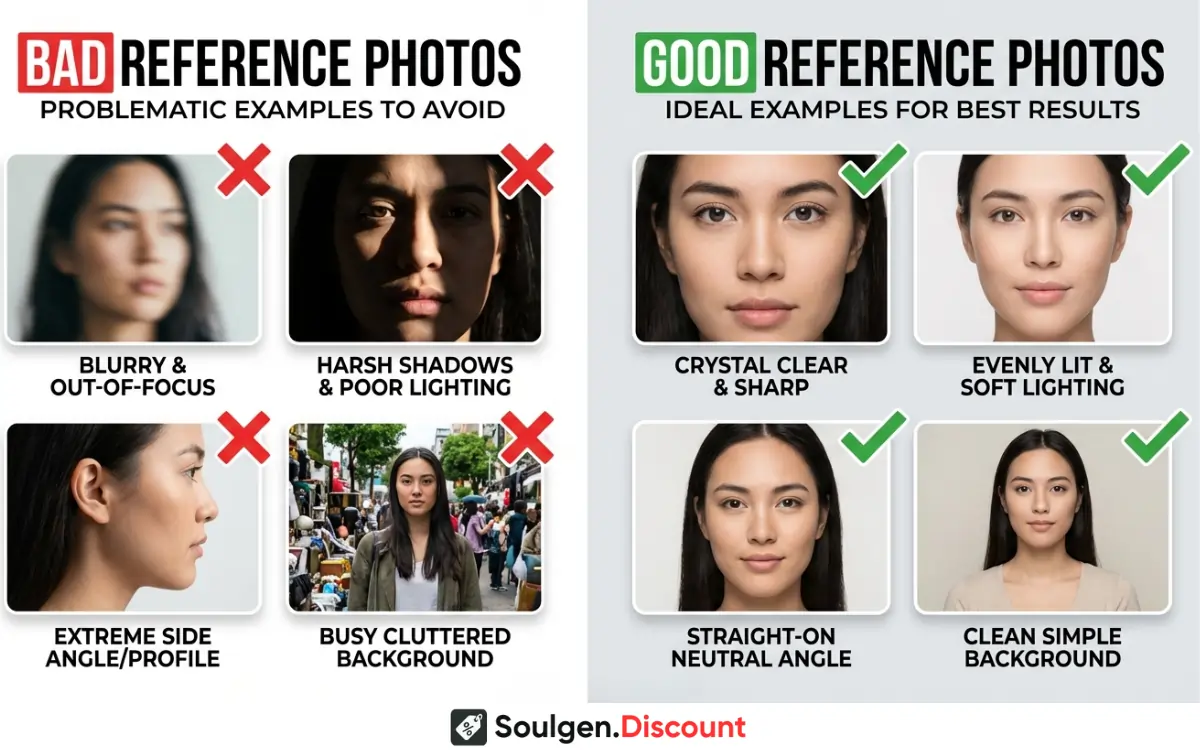
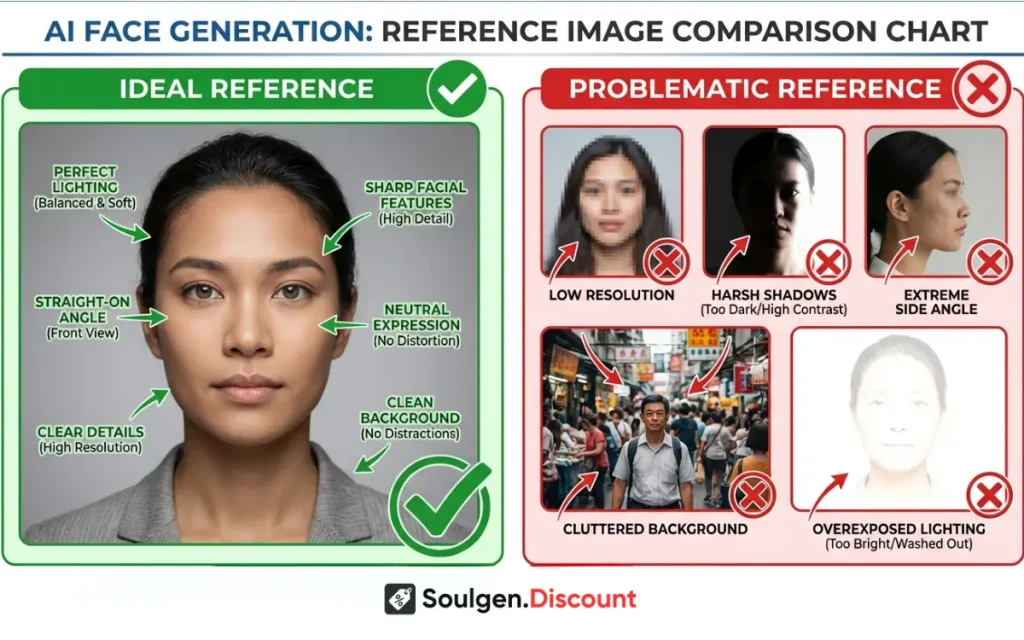
The AI's face recognition tech needs specific things to work its magic. Blurry photos, weird angles, harsh shadows, or busy backgrounds confuse the algorithm faster than you can say “regenerate.” Resolution matters too—that compressed Instagram photo you saved? Rubbish for reference work.
Think of it like this: you wouldn't use a foggy mirror to do your makeup. Same logic applies here.
The Golden Rules for Selecting Reference Images
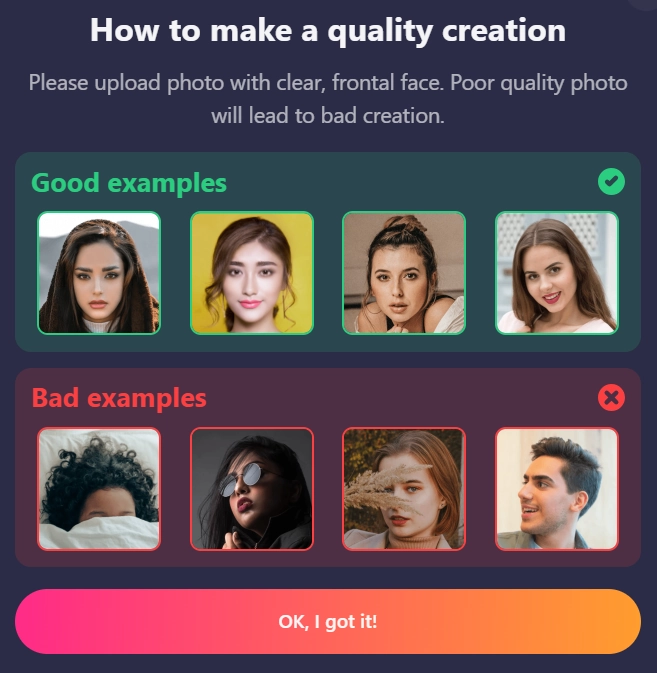
SoulGen Quality Creation
Frontality is your best mate. Photos taken straight-on, with the subject looking directly at the camera, give the AI the clearest facial geometry data. Three-quarter views can work, but you're gambling with accuracy.
Lighting conditions make or break your results. Soft, even lighting from the front shows facial features without harsh shadows hiding critical details. That sexy low-light club photo? Save it for your Tinder profile, not SoulGen.
Eyes and expression carry the identity. Clear, well-lit eyes help the AI nail the character's essence. Squinting, sunglasses, or closed eyes? That's a hard pass.
Background noise is the enemy. A cluttered background distracts the feature extraction algorithms. Use tools to remove backgrounds before uploading, or shoot against plain walls. Your AI girlfriend will thank you.
Optimizing the SoulGen Looks Like Feature for Consistency
SoulGen Looks Like Feature
Here's where things get interesting. The basic upload works fine for one-offs, but character consistency across multiple scenarios requires strategy.
First generation matters most. Once you create your initial image using a reference photo, save that output. It becomes your new reference baseline. This image was created specifically within SoulGen's style framework, making it perfect for subsequent generations.
The hybrid blending technique is pure gold. Upload reference photo #1, generate your character, then use that output as reference photo #2 for the next generation. This creates a blended identity that maintains consistency while giving you creative control. Repeat this process to refine features gradually.
Building your reference library keeps projects organized. Create folders by character name, project type, or date. Store original references, first-generation outputs, and your best variations. Trust me—when you need that specific blonde with green eyes you made three weeks ago, you'll be grateful.
Testing and Troubleshooting Reference Image Effectiveness
Not all photos are created equal. Run quick tests with new references before committing to a full character build.
Quality assessment checklist:
Resolution: minimum 1024×1024 pixels for crisp results
Facial clarity: can you see individual eyelashes?
Angle: within 15 degrees of straight-on
Lighting: shadows covering less than 20% of face
Expression: neutral or slight smile works best
When references don't work, systematically eliminate variables. Crop tighter around the face. Increase brightness by 10-15%. Remove distracting elements. Re-shoot the reference if you control the source.
The AI sometimes grabs onto unexpected features—that small mole, that particular lip shape—and emphasizes them beyond what you intended. Note these quirks for future reference.
Advanced Prompting Combined with Reference Photos
References guide facial features, but prompts control everything else. This combo is where mastery happens.
SoulGen- Advanced Prompting
Your prompt should complement, not fight, your reference. If you're using a reference of an athletic woman, prompts about “curvy” or “petite” create confusion. Work with what the reference provides.
Strategic reference use means knowing when to guide versus when to fully determine output. For fantasy scenarios, let the reference handle facial consistency while prompts create the scene. For realistic portraits, align both tightly.
Multiple scenario consistency requires referring back to your first successful generation. Create a swimsuit scene? Use that as reference for the evening gown scene. Maintains facial recognition while changing contexts.
The Reference Hierarchy Strategy
Not all references deserve equal weight in your workflow.
Primary references are your gold standard—perfect lighting, perfect angle, perfect clarity. Use these for establishing new characters.
Secondary references capture different angles or expressions of the same person. These help when you need variety but want consistency.
Tertiary references are experimental—testing new poses, lighting, or styles. Lower stakes if they fail.
Iterative Refinement: The Professional Approach
SoulGen charges around $12.99 per month for pro features including the reference upload capability. At that price point, you can afford to experiment.
Generate four versions using slightly different prompt wording with the same reference. Compare results. Note which produced the best facial match. Refine your approach based on data, not guesswork.
Similarity scoring (mentally rating 1-10 how close the result matches your reference) helps track what's working. After 20-30 generations, patterns emerge about lighting, angles, and prompt phrasing that consistently deliver.
The SoulGen Looks Like feature transforms from a basic upload tool into a precision instrument when you understand its mechanics. Reference quality, strategic use of previous outputs, and systematic testing separate casual users from those creating consistently stunning characters. Now stop reading and start generating—those AI babes aren't going to create themselves.
William Parker
William is the guy who spent way too long generating AI girlfriends and somehow turned it into a career. He reviews AI art generators, SoulGen pricing, and NSFW image tools so you always get more for less.